 Glowproof
How to build a skincare tracker spreadsheet that stays useful
A skincare tracker spreadsheet needs two tabs: a daily log with date, routine done, skin feel, tags and a note, and a product list with start date, trial length and rating. Add two formulas for days logged and routine days, and keep the layout small enough to update in thirty seconds.
Coming soon to iPhone
Why use a spreadsheet?
A sheet is free, exports easily and bends to what you track. You can see weeks at a glance, count things and sort by product. The Wikipedia article on spreadsheets describes how the grid became a standard tool for exactly this kind of record keeping, and the same grid works for skin.
The weak spot is the same as for any manual log: you have to type every entry. If you open the sheet only when you remember, the data has holes. Keep the sheet short enough that it survives a tired evening.
Which tabs do you need?
Two. The first is a daily log, with one row per day. The second is a product list, with one row per product. Resist a third tab until the first two feel natural.
What goes in the daily log?
Ten columns are plenty.
Use a dropdown for Skin feel so entries stay consistent. In your spreadsheet tool, find Data validation (often under the Data menu) and enter the list of words.
| Column | Type | Notes |
|---|---|---|
| Date | Date | One row a day |
| Morning done | Checkbox | Tick when finished |
| Night done | Checkbox | Tick when finished |
| Skin feel | Dropdown | Calm, oily, dry, breaking out, sensitive, irritated |
| Tags | Text | Poor sleep, travel, stress, period, new product |
| Photo taken | Checkbox | Same light, same spot |
| Light note | Dropdown | Same as usual, darker, brighter, warmer |
| Product in trial | Text | Name, if one is active |
| Note | Text | One line |
| Day number | Formula | Days since your start date |
What goes in the product list?
Seven columns. Product, type of step, start date, trial length in days, end date, rating from 1 to 5 and a verdict such as keep or not for me. Calculate the end date with a formula: start date plus trial length. The sheet then shows when each trial finishes, and you can sort by end date.
Add a column for the date you opened the product and the period after opening printed on the pack. The period-after-opening symbol on cosmetics shows how long a product can be used after it is first opened, so a note of the opening date is useful.
Which formulas are worth adding?
Three cover the questions most people ask. Assume dates in column A and checkboxes in B and C, with data from row 2.
Treat the last number as information, not a grade. A rate of 60 percent over a hard month is fine.
- Day number:
=A2-INDEX(A:A,2)+1in the Day number column. It counts from your first row. - Mornings done this month:
=COUNTIFS(B:B,TRUE,A:A,">="&DATE(2026,10,1))for the current month. - Routine completion:
=(COUNTIF(B:B,TRUE)+COUNTIF(C:C,TRUE))/(2*COUNTA(A:A)-2)for a rough overall figure.
How do you keep it up?
Fill it in once a day at a fixed time. Put a reminder on the phone for the moment you finish the night routine. Use the phone app of your sheet tool, and save the file in a place you can open on any device. If you miss days, leave the rows blank rather than guessing. An honest blank is more useful than a rebuilt memory.
Add a Home Screen shortcut to the sheet. One tap to open beats searching for the file.
What can a spreadsheet not do?
It cannot hold your photos in a way that makes comparison easy. You can paste links, but pasting a link every day is a chore. It cannot tell you whether two photos were taken in similar light, and it cannot place two photos side by side. For those jobs, a photo diary is a better fit. The comparison of a tracker app, a paper journal and a camera roll goes through the options.
How does Glowproof fit with a sheet?
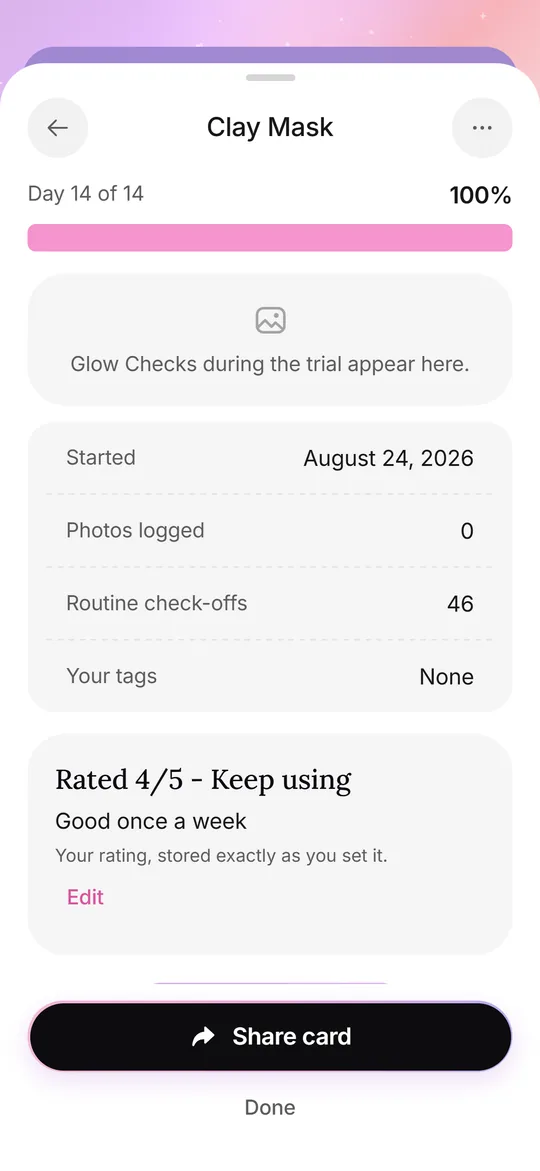
Glowproof, an iPhone skin photo diary in development, handles the photo side: a daily Glow Check with a light check against your Day 1 photo, notes and tags you type yourself, and side by side comparison with dates. It exports a zip of your photos and a JSON file of your notes, so you can pull the data into a sheet if you wish. Everything stays on the iPhone, with no account. See routine and Product Trials for the routine side.
Many people use both: the app for daily photos, the sheet for a yearly overview and for odd questions.
How do you read the sheet after a month?
Filter the log by one product's trial dates and read the notes in a block. Look at the skin feel column for that period and the tag column for context. Count how many days you logged. If you logged fewer than half, treat the month as a loose impression, not a result. Compare the first and last photo with the light note in mind. A trial with solid notes and a photo from the same light each day is worth trusting. One with gaps is worth repeating.
What should you protect in the sheet?
A skin diary is personal, so keep it private. Store the sheet in an account you control, use a strong password and avoid sharing the whole file when you want only to share one page. If you add photos by link, check who can open them. The simplest rule is to share an export of the rows you choose, not the file itself.
Which tab layout works for a longer project?
After three months, add a summary tab with one row per month: days logged, mornings done, nights done, products started and ended, and a one-line verdict. Pull the numbers with formulas. It gives you a year in twelve lines. If you track more than one person or more than one skin goal, add a column for the goal name, so that a single sheet can hold both without confusion.
Can you share a skincare sheet with a professional?
You can, and it can be useful at an appointment. Print or export a one-page summary: the products you use with start dates, the dates of any changes and a few photos in similar light. Leave out columns you do not want to share. A tidy page is easier for a busy clinician to read than a long file, and a dated list of changes answers the question they are most likely to ask.
Frequently asked questions
What should a skincare tracker spreadsheet include?
A daily log with date, routine done, skin feel, tags and a note, and a product tab with start date, trial length and rating.
Is there a free skincare tracker template?
You can build one in a few minutes with the columns above. A sheet you design yourself tends to stay simpler.
How do I count routine days in a spreadsheet?
Use COUNTIF on the checkbox columns, for example COUNTIF(B:B,TRUE) for mornings done.
Can a spreadsheet compare skin photos?
Not well. A photo diary is better for side by side comparison and for checking light.
Can I export Glowproof data into a spreadsheet?
The Export my data option creates a zip with your photos and a JSON file of your notes, which you can convert for a sheet.
Keep exploring
 Routine and trialsYour own AM and PM checklist, reminders, and 14, 28 or 42 day Product Trials.Skincare Routine OrderThe common order of skincare steps for morning and night, the thin-to-thick rule, and how to log your own routine.