 Glowproof
Skin progress photos you can actually compare
Glowproof is a skin progress photo diary for iPhone. It guides a daily selfie, checks only the light of each photo against your Day 1 photo, keeps your own notes, and shows any two photos side by side. Everything stays on your phone, and the app never judges your skin.
Coming soon to iPhone
Inside the app
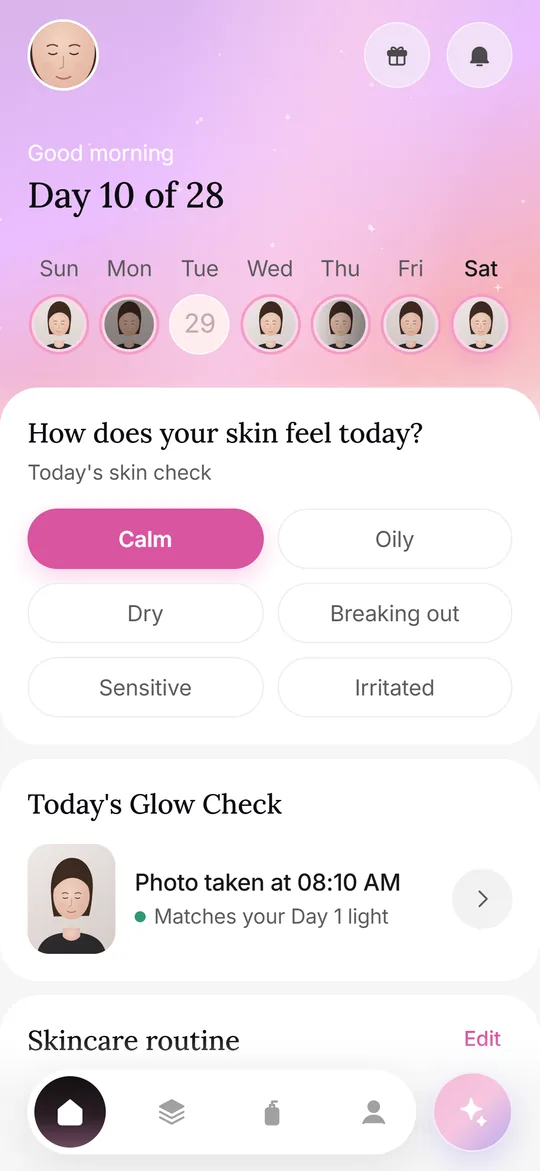
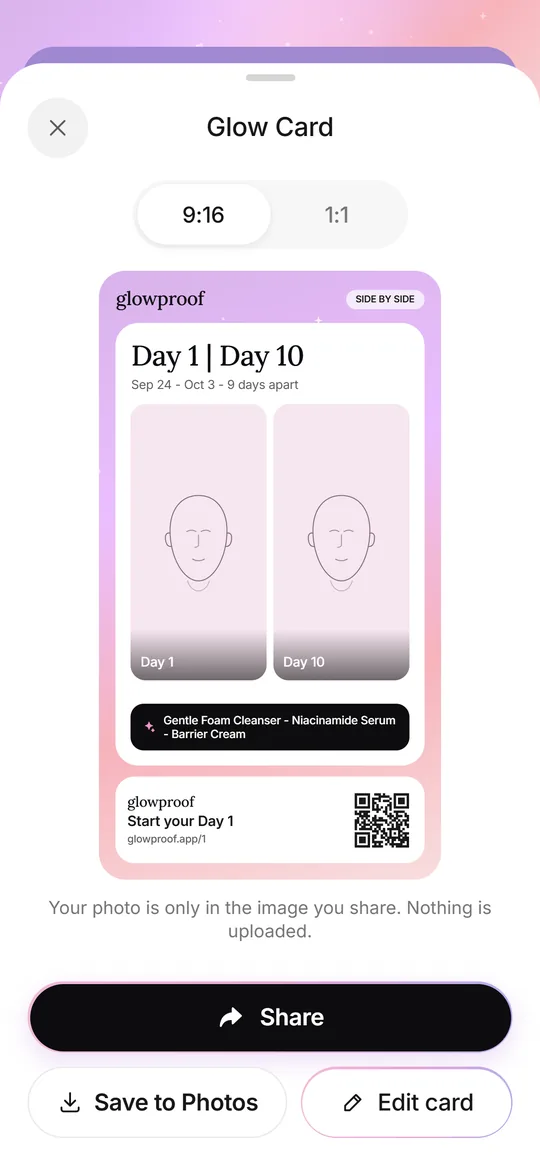
- 01Today screen with the daily Glow Check
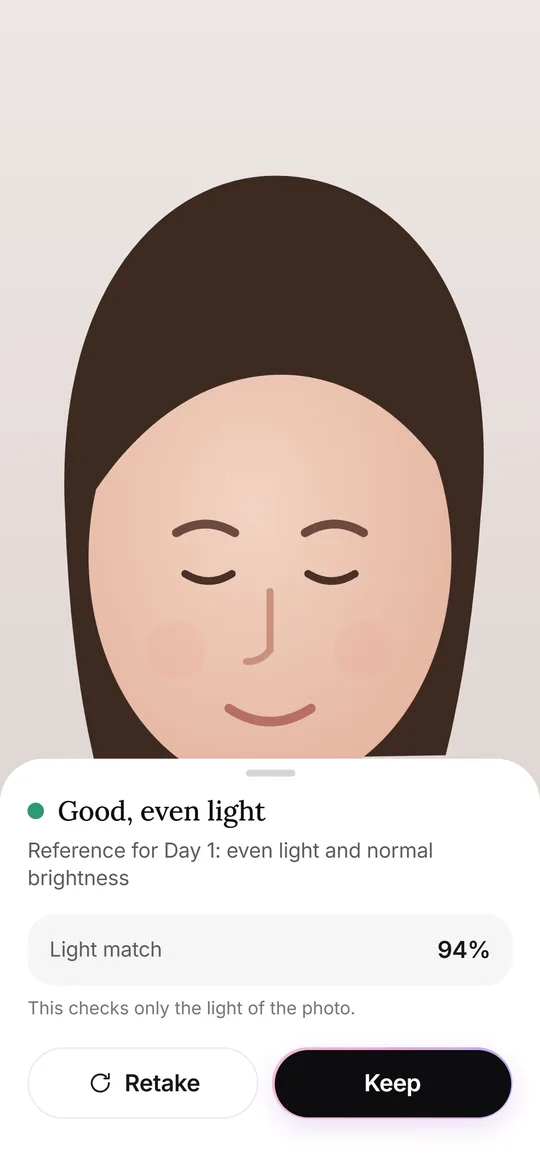
- 02Light check against your Day 1 photo
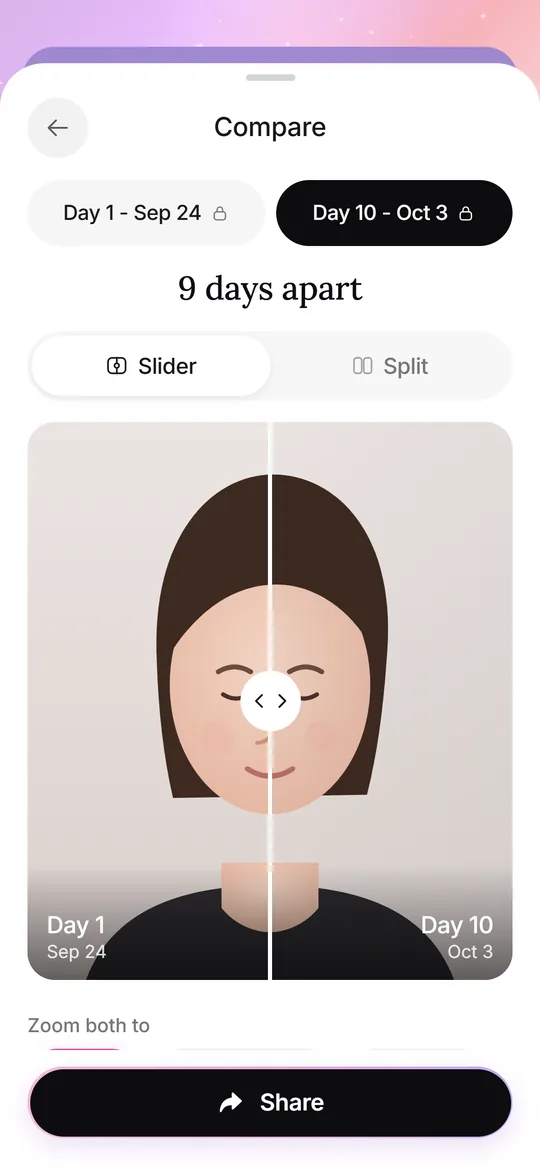
- 03Two photos side by side
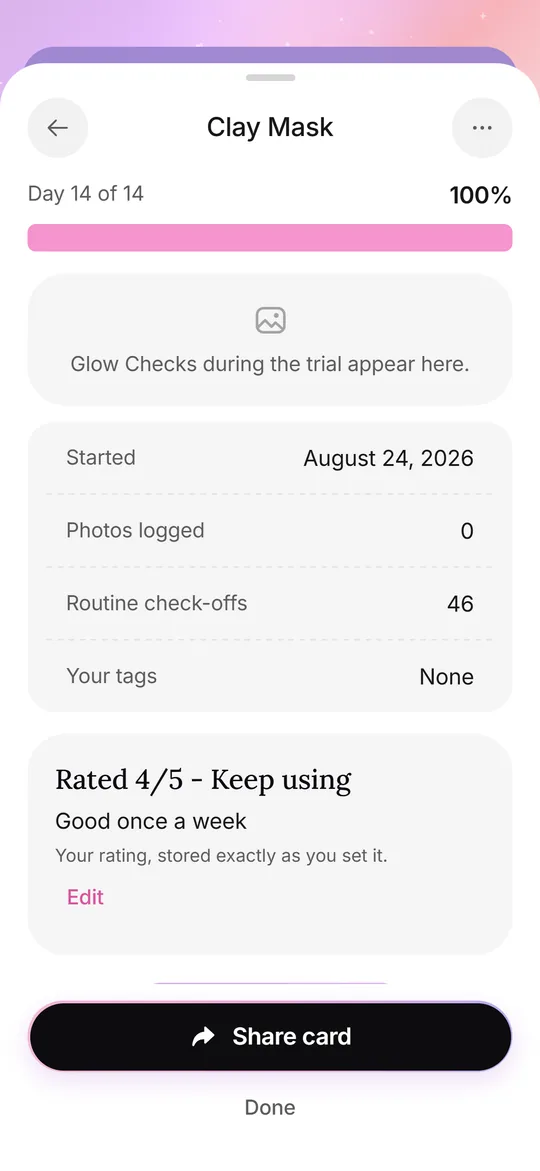
- 04A Product Trial with your own rating
- 05A shareable Glow Card
How it works
- 1Take your Day 1 photoAnswer three short questions, allow the camera and face a window without flash. This photo becomes your reference.
- 2Do a Glow Check each dayLine up with the face oval and Day 1 outline, then read the light check. Add tags and a note if you like.
- 3Compare any two daysDrag the slider or split the view to see two dates side by side, with the days between them.
What it does
Glow CardsSeven card types, 9:16 or 1:1, with hide, blur or show for the face.Glow CheckThe daily photo: guide, light check, your feel, tags and notes.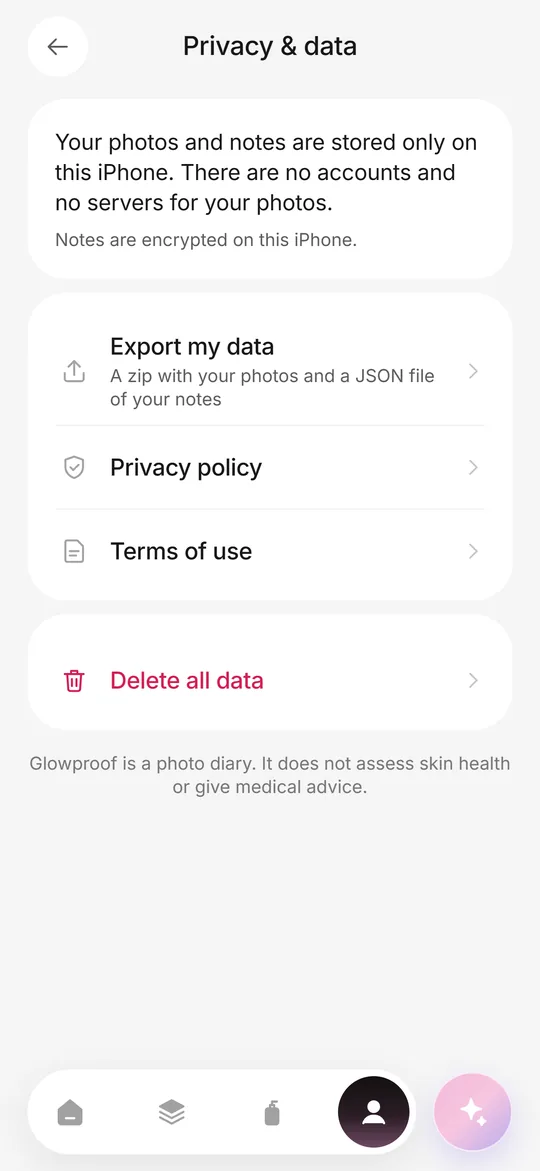 Private on deviceNo account, no photo server, iOS Data Protection, export and delete from the Me tab.Routine and trialsYour own AM and PM checklist, reminders, and 14, 28 or 42 day Product Trials.
Guides
What is Glowproof?
Glowproof is an iPhone app for people who photograph their skin over weeks or months and want the photos to be comparable. You take one selfie a day, the app tells you whether the light matched your Day 1 photo, and you can place any two days next to each other.
Every judgement stays with you. You pick the tags, write the notes and decide whether something changed. Glowproof is a photo diary, so it does not diagnose, score or rate anything on your face.
Why do skin photos look different from day to day?
Light changes more between two selfies than skin usually does. A window on a cloudy morning, a warm bedside lamp and a bathroom spotlight can make the same face look flatter, redder or shinier. Distance and angle add to it.
That is the gap Glowproof closes. It gives you a repeatable setup and a light check on every photo, so a comparison reflects your own judgement and not a change of lamp. The lighting guide explains the details.
How does a Glow Check work?
A Glow Check is the daily photo. It takes about a minute and follows the same path every time.
- Open the camera. A face oval and a faint outline of your Day 1 photo help you line up.
- Take the photo with the standard camera, facing the light and without flash.
- Read the light check: it compares brightness, left and right balance and warmth with Day 1.
- Keep the photo or retake it. The app only advises and never blocks you.
- Add how your skin feels, optional tags and a note if you like.
How do I compare two photos?
Open Compare and drag the slider, or switch to a split view. The app shows both dates, the number of days between them and whether the light differed. It does not describe what changed on your skin.
Day 7 and Day 28 get their own side by side screens, and an old selfie from your photo library can sit next to today with the exact gap in days. See side by side comparison for the full flow.
What else is in the app?
A routine checklist for morning and night, with reminders you control. Product Trials that log one product for 14, 28 or 42 days and end with your own rating. Glow Cards, shareable images with a QR code, where the face can be hidden or blurred.
Read more on the pages for routine and Product Trials and Glow Cards.
What happens to my photos?
They stay on your iPhone, inside the app. There is no account and no server for your photos or notes. You can export a copy or delete everything from the Me tab. Purchases go through Apple, and the app checks whether Pro is active through a third-party billing service. Details are in the privacy policy and on the private on device page.
What is free and what is Pro?
The daily Glow Check, light check, routine, Day 7 and Day 28 side by side, Glow Cards and data export are free. Pro adds the rest. Prices are shown inside the app by the App Store in your currency before you buy. The yearly plan is set up with a 7-day free trial, and the app also offers a weekly plan and a one-time lifetime purchase.
| Free | Pro | |
|---|---|---|
| Visible history | Day 1 and your last 7 photos | Whole history |
| Compare | Day 1 with your latest photo | Any two dates, zoom to the same area |
| Product Trials | One active trial | Unlimited, plus the Shelf |
| Old selfie vs today | One comparison | Unlimited |
| Time-lapse grid | 4 photos | 4, 9 or 16 photos |
| Glow Card photo watermark | On | Can be turned off |
Frequently asked questions
Does Glowproof analyze my skin or face?
No. It checks only the light of each photo: brightness, light from one side and warmth. It does not detect faces, score skin or say whether anything improved. You make those judgements.
Do my photos get uploaded anywhere?
No. Photos and notes stay on your iPhone, and there is no account or server for them. A Glow Card leaves the phone only when you send it through the share sheet.
Is Glowproof free?
You can use the daily photo, light check, routine and basic comparisons for free. Pro is optional and adds full history, any-date comparison and more. The price appears in the app before you buy.
Is Glowproof a medical app?
No. It is a photo diary and does not diagnose, treat or give medical advice. For any concern about your skin, talk to a qualified health professional.
Which languages and devices does it support?
Glowproof is built for iPhone and is available in English and Russian.
When will Glowproof be on the App Store?
It is in development and there is no release date yet. This page will link to the App Store once the app is live.
Keep exploring
Glow CheckThe daily photo: guide, light check, your feel, tags and notes.Side by sideSlider or split compare, Day 7 and Day 28 moments, and old selfie vs today.Private on deviceNo account, no photo server, iOS Data Protection, export and delete from the Me tab.How often to shootDaily, every few days or weekly: how to choose a rhythm and when to compare.Consistent lightingWindow light, color temperature, flash, exposure and distance: a checklist for matching photos.