 Glowproof
Glow Check: one daily photo, same light every time
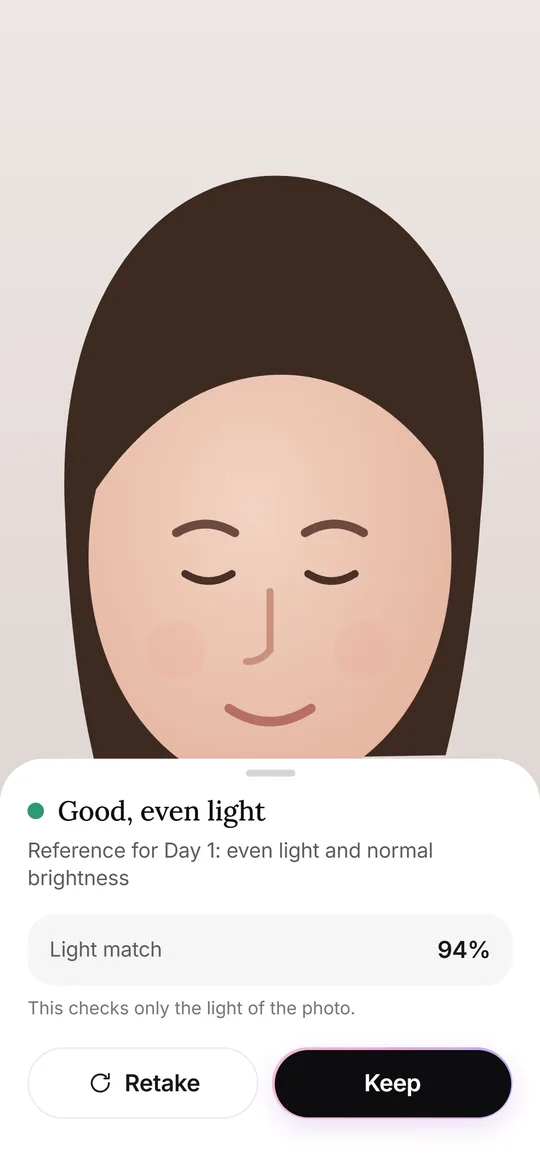
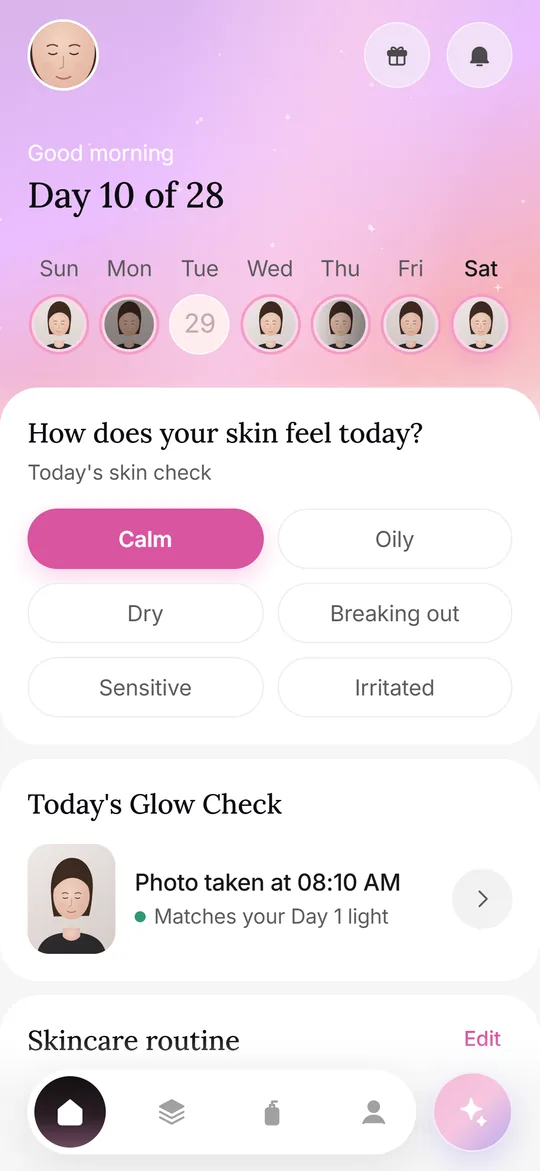
A Glow Check is Glowproof's daily photo. A face oval and a faint Day 1 outline help you line up, and after the shot the app compares the light with your Day 1 photo. It measures exposure only, so the comparison between two days is about you and not the lamp.
Coming soon to iPhone
What happens when I take a Glow Check?
The flow is short and always the same, which is the point.
- Tap the sparkle button in the bottom bar. The front camera opens with a face oval.
- Line up your eyes and chin. A faint outline of your Day 1 photo shows where the face sat before.
- Take the photo. The app uses the standard camera and its normal shutter.
- Read the light check, then tap Keep or Retake.
- Add how your skin feels, tags and a note on the saved screen.
What does the light check measure?
After the photo is taken, Glowproof makes a small copy of the area inside the oval and measures four things about the light. It does this once per photo, on your phone.
Each measurement matches a common reason two selfies of the same face look different. Left and right balance catches a window or lamp on one side. The blown highlight share catches a flash or a bright bulb close to the face. Warmth catches a switch from daylight to a warm lamp, and brightness catches a heavier curtain or a gray morning.
- Average brightness of the area.
- The difference between the left and right half, which shows light coming from one side.
- The share of very bright, blown-out pixels.
- The balance between warm and cool tones.
How do I read the result?
The result is a short sentence and a Light match figure that says how close this photo is to Day 1. It is advice. You can keep any photo, and photos taken in different light stay in your timeline with a small marker.
The Compare screen repeats the idea for a pair of photos. It prints a light line for each of the two, so a pair taken in different light is flagged at the moment you look at it. If the app cannot read the light of a photo, it says so and lets you keep the photo anyway.
| Message | What it means |
|---|---|
| Good, even light | Day 1 only: brightness is normal and the light is balanced. |
| Same light as Day 1 | Brightness, balance and warmth are close to your reference. |
| Darker or brighter than Day 1 | The photo is clearly dimmer or brighter than the reference. |
| Light from one side | One half of the oval is noticeably brighter than the other. |
| Warmer light than Day 1 | The photo has a warmer tint than the reference. |
What does it not measure?
Glowproof does not detect faces, measure skin tone, find zones or look for anything on your skin. It does not use Face ID, ARKit or any face data API. The oval is a static overlay, so lining up your face is up to you.
This limit is a design choice. A fair comparison needs fair light. Deciding what you see in the photo is your job.
The light check looks at the photo as an exposure. Your skin is not part of the calculation.
How do I get the same setup every day?
The in-app tips say it plainly, and the lighting guide goes further.
- Stand in the same spot, facing a window.
- Skip the flash, and keep any ring light on the same setting.
- Pull hair back, and go without makeup if you can.
- Line up eyes and chin with the oval.
What can I add to a photo?
Everything here is typed or tapped by you and shown back as you entered it. Pick how your skin feels (Calm, Oily, Dry, Breaking out, Sensitive or Irritated), add context tags such as New product, Period, Poor sleep, Travel or Stress, and write a note.
You can also tap an area on the face outline (forehead, nose, cheeks, chin or jaw) and attach your own tag or note to it. Nothing is suggested to you, and nothing is calculated from these entries.
Can I change the camera settings?
In Me, Photo settings, you can turn the Day 1 outline and grid lines on or off. If you prefer, choose an existing photo instead of using the camera. You can also replace your Day 1 photo from My answers. Your Day 1 date and day count stay the same.
Frequently asked questions
Does the light check judge my skin?
No. It reads brightness, left and right balance, blown highlights and warmth of the photo as an image. It never looks for anything on your face.
Do I have to retake a photo if the light is different?
No. The check only advises. You can keep any photo, and the timeline marks photos taken in different light.
Can I use a photo from my library instead of the camera?
Yes. Choose a photo in the camera screen. The photo picker gives Glowproof only the photo you choose.
What if my Day 1 photo was taken in bad light?
You can replace it from My answers. The Day 1 date and the day count stay as they were.
Keep exploring
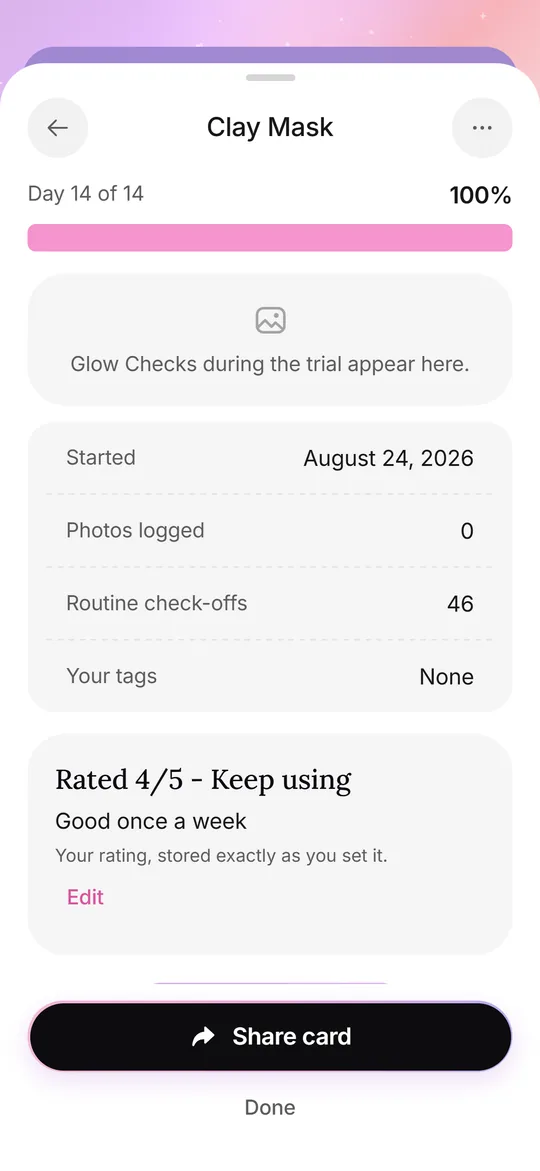 Routine and trialsYour own AM and PM checklist, reminders, and 14, 28 or 42 day Product Trials.
 Photos at homeA repeatable home setup: spot, light, distance, angle, timing and a Day 1 reference.Consistent lightingWindow light, color temperature, flash, exposure and distance: a checklist for matching photos.