 Glowproof
How to get consistent lighting for progress photos
Stand in the same spot facing a window, turn off mixed room lights, skip the flash and keep the phone at the same distance. Light changes how skin looks more than most people expect, so matching it from photo to photo is the single biggest step toward a fair comparison.
Coming soon to iPhone
Why does lighting change how skin looks?
A camera records light bounced off a surface, so a change in light changes the picture even when the surface is the same. Brightness changes how flat or textured a face looks. The color of the light shifts the tint. A lamp to one side puts one half of the face in shadow.
Phones also adjust automatically. They pick an exposure and a white balance for each scene, so the same face can come out brighter or warmer from one photo to the next. See Wikipedia on exposure and color balance for the background.
Texture is the clearest example. Light skimming across the face from the side exaggerates every bump and pore, while light from the front fills them in. Neither is more true than the other. What matters is using the same one every time.
What is the best light for progress photos?
Soft daylight from a window, with your face turned toward it, is the easiest repeatable source. It is even and free. Shoot at a time of day when the window light is similar. Direct sun creates hard shadows, and a very overcast day can be dim and gray, so pick a window and hour that look the same on most days.
If your room has no good window, a single lamp at a fixed position works. The key is that it stays fixed, with the same bulb and the same switch settings.
Weather changes the quality of window light more than people notice. Thin cloud gives a soft, even light. Strong sun through the same window gives bright patches and sharp shadow edges on the face. If a day looks very different from your usual, wait an hour, move away from the window or skip the day and mark the note.
Write down the hour and the window on the first day. It sounds fussy, and it is the detail people forget first when they try to repeat the photo a month later.
How does color temperature affect photos?
Light sources have a color temperature, measured in kelvins. Warm incandescent bulbs sit near 2700 K, while daylight is much bluer, roughly 5000 to 6500 K (Wikipedia: Color temperature). Mixing them, for example window light plus a warm ceiling lamp, gives uneven color across the face.
The simple fix is to use one source. Turn off other lights in the room while you shoot, and avoid switching between daylight and a lamp from day to day.
Your phone screen is a small light source too, and in a dark room it tints the face. Shoot in a lit room at a time when the screen is not the brightest thing near you.
| Light source | Typical look | Repeatable? |
|---|---|---|
| Window, soft daylight | Neutral to cool, even | Yes, if the time of day and weather are similar |
| Direct sunlight | Bright, hard shadows | Rarely |
| Warm ceiling bulb | Yellow, overhead shadows | Yes, but shadows fall under the brows and nose |
| Bathroom mirror lights | Varies, often mixed | Yes, if you always use the same ones |
| Phone flash | Flat, bright, close | Technically, but it flattens detail |
Should I use flash or a ring light?
Skip the flash. It is harsh, it changes with distance and it flattens the face. A ring light is repeatable if you keep the same brightness, color setting and distance, and it can be a good choice in a room without a window. If you use one, never switch its settings between photos.
A bright ring light can feel appealing because it hides shadows, but it also hides texture, which is part of what a diary records. Choose a setting you can live with for months and leave the dial alone.
If you shoot at night, use a lamp at a fixed height and distance, and mark its spot with tape. A repeatable evening setup beats a variable daytime one.
Does distance and angle matter as much as light?
Yes. A phone held close exaggerates the parts of the face nearest the lens, a form of perspective distortion (Wikipedia: Perspective distortion). A slightly different tilt moves shadows. Keep the phone at the same arm's length, at eye level, with the same slight tilt each time.
A stack of books or a small phone stand fixes the position better than your hand does. Mark the spot on the floor if you stand.
Wikipedia explains the cause: perspective distortion depends on how far the camera is from the subject, so a close lens enlarges what is nearest to it. A longer arm's length with a stand keeps proportions steadier from day to day.
What does my phone's auto exposure do?
A phone camera measures the scene and sets exposure and white balance to suit it. A bright window behind you can darken the face. A dark wall can brighten it. So the same light on your face can yield different pictures depending on what else is in the frame.
Two habits reduce the effect. Keep the background the same, preferably a plain wall, and avoid a window or lamp behind you. In a camera that lets you lock exposure, lock it after framing, so the setting does not drift between shots.
What is a quick lighting checklist?
Run through this before each photo until it is automatic.
Save this list in your notes. For the first two weeks, read it before each shot. After that your hands will remember it.
- Same spot, facing the same window.
- Other lights off, or all left in the same state.
- No flash, and no changes to a ring light.
- Phone at eye level and the same distance.
- Hair back, and glasses off or on as usual.
- Same time of day, within an hour or so.
How can an app help with lighting?
After you take the photo, a light check can tell you whether this one matches the earlier ones. Glowproof compares brightness, the balance between the left and right halves, blown highlights and warmth with your Day 1 photo, using only the pixels inside the face oval. It then tells you in a sentence whether the light looks the same, darker, brighter, warmer or from one side.
It never looks at your skin and never blocks a photo. You decide whether to keep or retake it. The Glow Check page explains each result, and the home setup guide covers the rest of the routine.
No tool can repair the light in a photo after the fact, and editing risks changing the look further. If a photo does not match, treat it as taken in different light, note that and prefer another day for the comparison. Glowproof marks such photos on the timeline and flags the difference on the Compare screen, so the pair you pick stays an informed choice.
Frequently asked questions
Is natural light or artificial light better for progress photos?
Either can work. Soft window light is free and even, and an artificial light works if it stays in the same position and setting every time.
Should I turn off the lights in my room?
Turn off the ones that mix with your main source. A warm ceiling lamp and a cool window together give uneven color on the face.
Does the time of day matter?
Yes, because window light changes through the day. Shooting at the same hour keeps it similar.
Does Glowproof tell me about my skin from the light check?
No. The light check measures the photo as an exposure. It does not analyze skin and gives no medical information.
Keep exploring
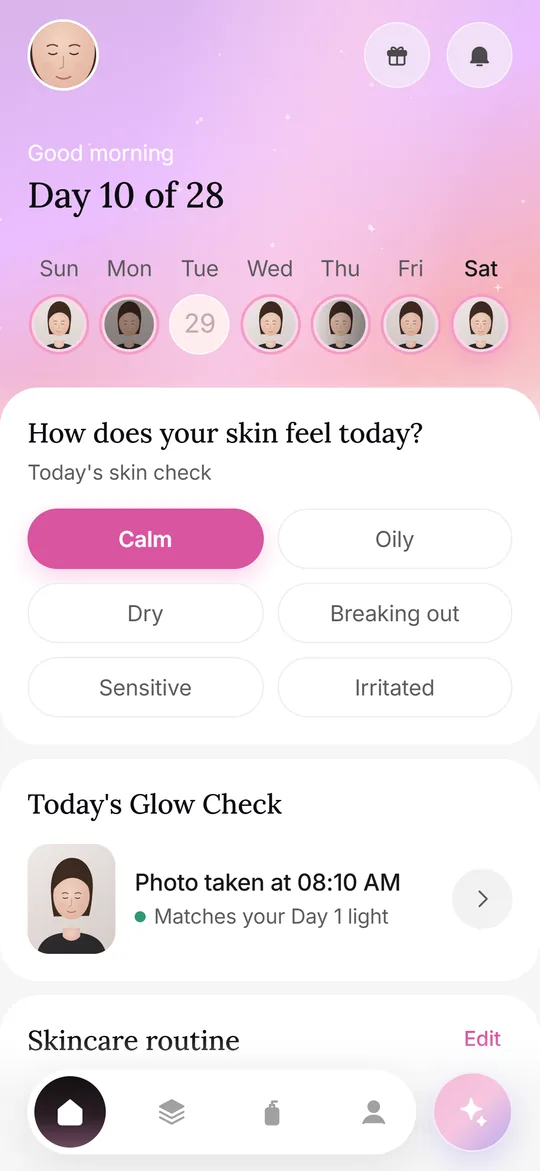 Photos at homeA repeatable home setup: spot, light, distance, angle, timing and a Day 1 reference.How often to shootDaily, every few days or weekly: how to choose a rhythm and when to compare.
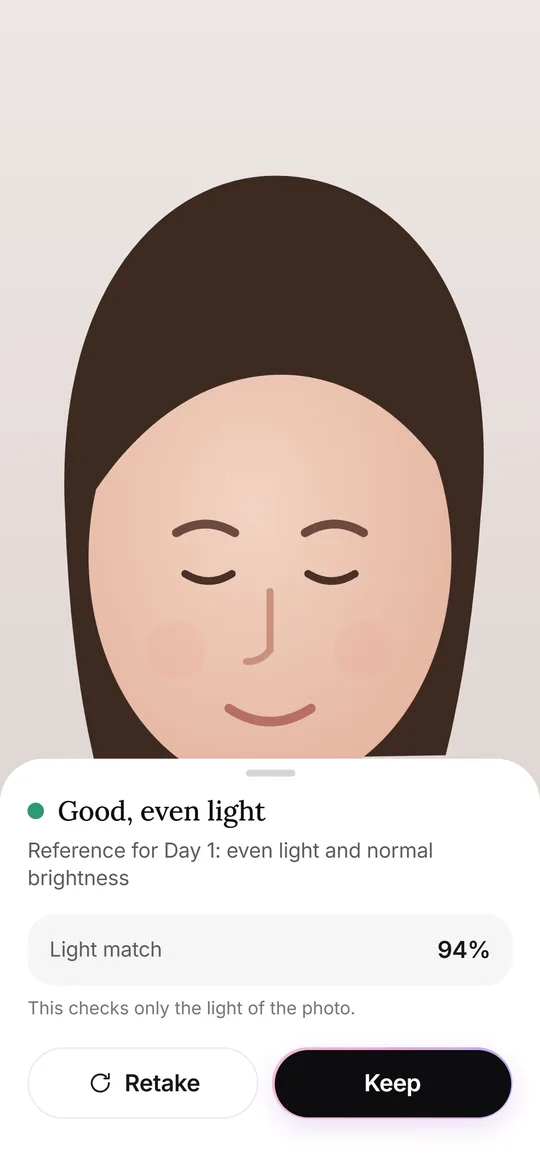 Glow CheckThe daily photo: guide, light check, your feel, tags and notes.Side by sideSlider or split compare, Day 7 and Day 28 moments, and old selfie vs today.