 Glowproof
Glow Cards: share the moment, keep the face private if you want
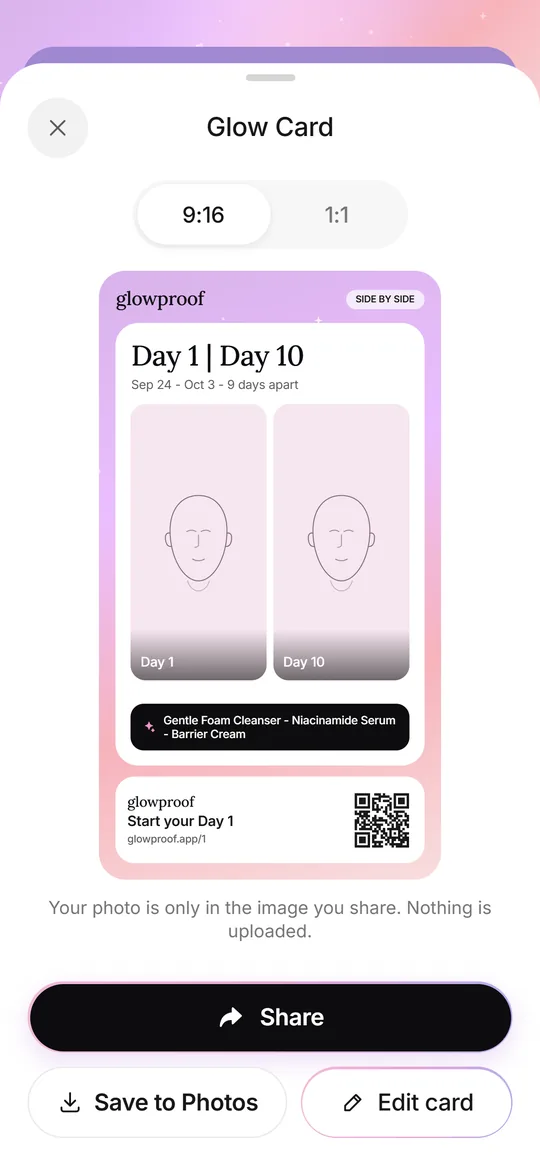
A Glow Card is an image made on your iPhone from a diary moment such as Day 1, a side by side or a Product Trial. You choose whether the face is hidden, blurred or shown. The card carries a QR code, and nothing is uploaded until you share it yourself.
Coming soon to iPhone
What is a Glow Card?
It is a picture, rendered on your phone, in a 9:16 story size or a square. It shows a moment from your diary and a footer with the glowproof wordmark, the line Start your Day 1, a QR code and a short link. You send it through the normal iOS share sheet to Messages, social apps or anywhere else, or save it to Photos.
The export is an image of 1080 by 1920 pixels for stories or 1080 by 1080 for a square, made on your phone. The preview you see in the app is the same layout, and an edit screen lets you change it before sharing.
Which card types are there?
Each core moment has its own card.
Face-free cards exist for those who never want a face in an image. The streak and challenge cards show only numbers, dates and your own routine steps.
| Card | What it shows |
|---|---|
| Day 1 | Day 1 of 28 starts today, with the date |
| Days apart | An old selfie next to today with the gap in days |
| Day 1 vs Day N | Your Day 1 photo next to a later day |
| Time-lapse grid | Photos in order with day labels |
| Trial | The product name you typed and your own rating |
| Streak | Your Glow Check streak and routine check-off count, without a face |
| Challenge | An invite to a 28-day challenge with a start date |
When does Glowproof offer a card?
At the moments that tend to feel worth sharing: when you lock Day 1, at the Day 7 and Day 28 comparisons, after an old selfie comparison, when you rate a Product Trial, and at streak milestones of 7, 14, 30, 60 and 100 days. Each moment ends with a Share card button and a quieter Not now.
How do I keep my face out of the card?
Every photo card has privacy options: Hide face, Blur eyes and Show photo, plus Crop to area. The first time you share, Hide face is the default, and later cards use the default you set in Photo settings. Streak and challenge cards have no photo at all.
The same default protects a hurried share, so the first card you make cannot show a face unless you choose that. If you later decide to show the photo, change it in the editor, or set a different default in Photo settings. Crop to area is useful when you want to show only one region and keep the rest of the face out of the image.
The photo exists only inside the image you share. Glowproof does not upload it.
What can I edit on a card?
The editor keeps a short list of controls, and each one changes only the image you share.
- Card type and size, 9:16 or 1:1.
- Privacy for the photo: hide face, blur eyes or show photo.
- Crop to one area, or the whole photo.
- Show or hide dates and days apart, and your routine steps.
- Grid size for time-lapse cards, and the watermark setting on Pro.
What is the 28-day challenge?
You can invite a friend to do 28 days of Glow Checks. The invite link carries only the nickname you typed, up to 20 characters, and a start date, inside the part of the link that is never sent to a server. Each of you keeps your own streak on your own phone, and no data travels between the two phones.
A challenge is optional. If you never tap Invite a friend, nothing about it appears, and the invite row on the Today screen is easy to ignore.
What do Free and Pro change?
All card types are free. On the free plan, photo cards carry a small watermark and grids use 4 photos. Pro can turn the watermark off and build grids of 9 or 16 photos. The footer with the QR code stays on every card for everyone.
Nothing about privacy changes between plans. Free users can make every card type, hide or blur the face and share through the same sheet, and the choices stay on your phone.
Where does the QR code lead?
To a short link for the app. When Glowproof is installed, the link opens it at the first Glow Check. A fresh install cannot receive a link automatically, so the welcome screen has an option to paste an invite link yourself. The app never reads your clipboard on its own.
Frequently asked questions
Can I share a card without showing my face?
Yes. Hide face is the default for your first share, and Blur eyes and Crop to area are also available.
Does Glowproof upload my card?
No. The card is made on your iPhone and goes only where you send it from the share sheet.
Can I remove the QR code?
No. The footer with the link is part of every card for all users.
What sizes can I export?
A 9:16 story size or a 1:1 square.
Keep exploring
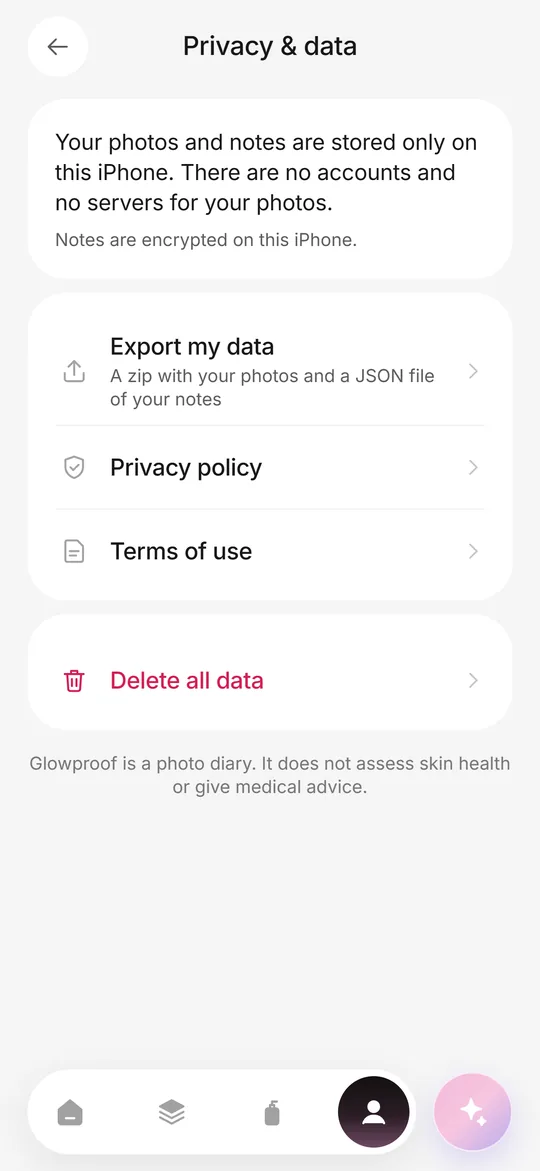 Private on deviceNo account, no photo server, iOS Data Protection, export and delete from the Me tab.
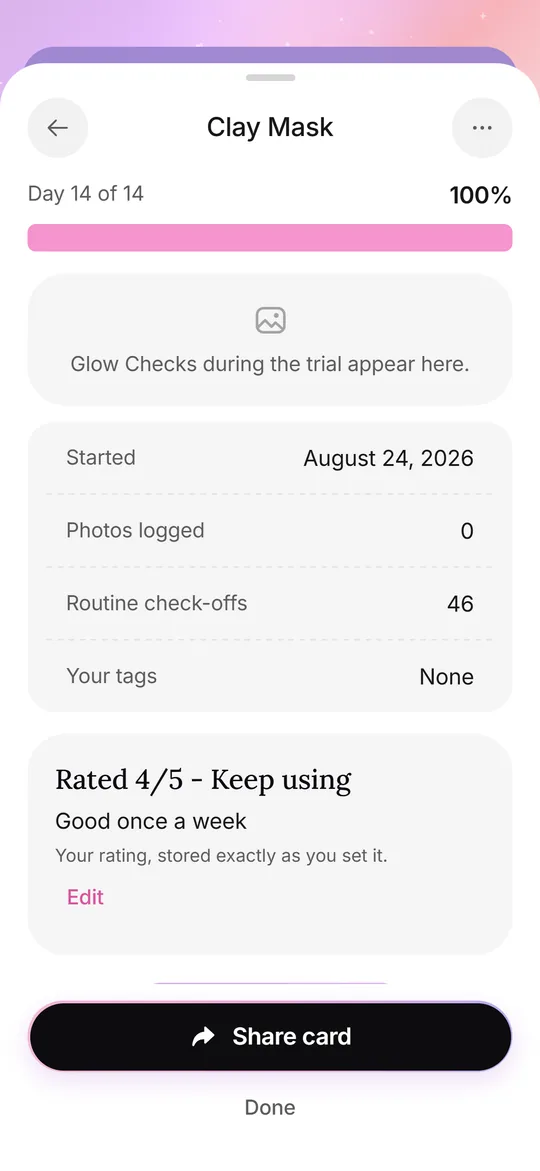 Routine and trialsYour own AM and PM checklist, reminders, and 14, 28 or 42 day Product Trials.FeaturesDaily photo, light check, side by side, routine, Product Trials, Glow Cards and private storage.