 Glowproof
Your photos stay on your iPhone
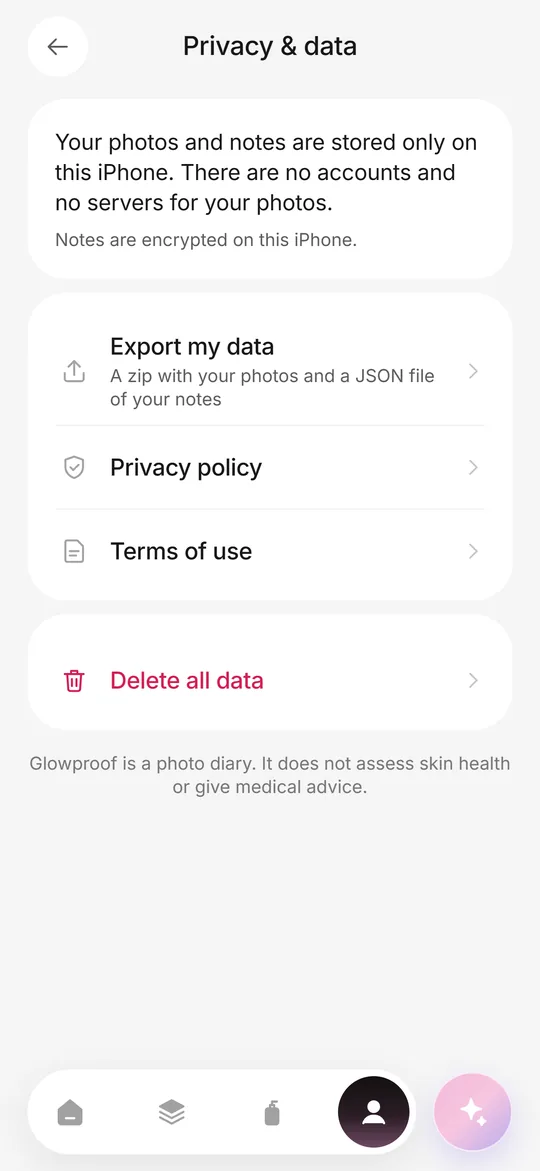
Glowproof stores your photos, notes, tags and settings only on your iPhone. There is no account and no server for them, so the developer cannot see or recover them. Photos skip iCloud backup by default, the app storage is protected by iOS Data Protection, and you can export or erase everything yourself.
Coming soon to iPhone
What is stored on my phone?
Your photos, the light check values of each photo, notes, tags, area notes, routine steps and check-offs, Product Trials and ratings, challenge dates and settings. They live in the private storage of the app, which iOS protects with Data Protection.
Because the app has no account, there is also no profile of you anywhere. A fresh install starts empty.
Why does Glowproof work this way?
A face photo diary is sensitive. Keeping it on the phone means there is no server holding a pile of face photos for anyone to breach, subpoena or sell. It also means there is nothing for you to sign up for, and nothing to keep paying for to read your own photos.
The trade-off is real. There is no cloud sync and no account to restore from. That is why export is free and sits in plain sight.
It also keeps the app honest. With no server in the picture, there is no hidden place where a feature could quietly send your face.
What leaves the phone?
Two things, and only in specific cases. Purchases are processed by Apple, and the app asks a third-party billing service whether Pro is active, which receives an anonymous app user ID and your App Store transaction details. The billing service never receives photos or notes. The second case is anything you share on purpose: a Glow Card, an invite link or an export goes where you send it.
Does Glowproof look at my face?
No. The app reads the brightness and warmth of a photo to run the light check and does not detect, analyze or store anything about your face as data. It does not use Face ID, ARKit or other face data APIs.
Is anything tracked?
There is no advertising, no tracking across apps or websites and no third-party analytics or advertising SDK. The app keeps a short list of feature events on your phone only. It is included in your export and erased with your data.
That event list is a plain local log, such as which screen opened or which card type was shared. It exists on the device and is not sent anywhere.
How do I export or delete my data?
Both are in Me, then Privacy and data, and neither is behind the paywall.
Nothing follows you to a new iPhone automatically, since there is no account. Photos are excluded from iCloud backup by default. If you want them in your device backup, turn the exclusion off in Photo settings. Whatever you choose, make a zip with Export my data before you switch phones and keep it somewhere you control.
- Open the Me tab and tap Privacy and data.
- Tap Export my data for a zip with your photos and a JSON file of your notes.
- To erase, tap Delete all data and type DELETE to confirm.
What does deleting remove?
Photos, notes, trials, settings and scheduled reminders, from this iPhone. It cannot be undone. A subscription is managed by Apple and is not cancelled by deleting data, so cancel it separately in Settings, Apple ID, Subscriptions.
What do the permissions allow?
Camera is used only on the Glow Check screen. Photos access works through the system picker, so Glowproof sees only the photo you choose. Add to Photos is requested only when you tap Save to Photos. Notifications are only the reminders you turn on. The full text is in the privacy policy.
You can say no to any of them and still use most of the app. Choose a photo instead of using the camera, skip notifications, and never tap Save to Photos.
Frequently asked questions
Do I need an account to use Glowproof?
No. There is no sign-up and no login.
Can the developer see my photos?
No. Photos never go to a server, so there is nothing to see or recover.
Are my photos in iCloud backup?
By default they are excluded. You can include them by turning off the exclude setting in Photo settings.
What if I lose my phone?
Because nothing is stored elsewhere, a lost phone without a backup means lost photos. Use Export my data now and then to keep your own copy.
Keep exploring
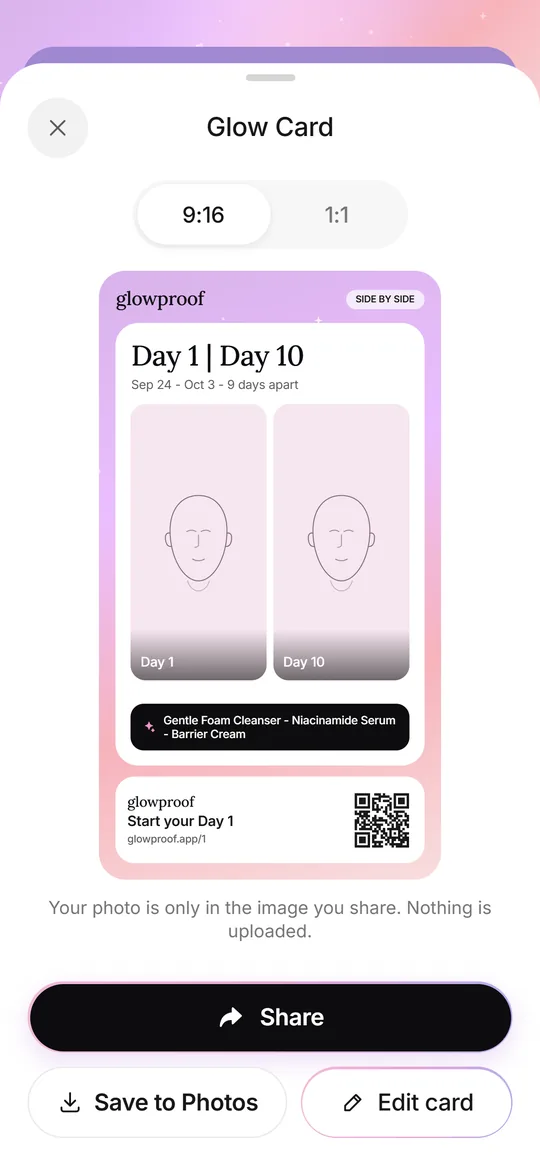 Glow CardsSeven card types, 9:16 or 1:1, with hide, blur or show for the face.
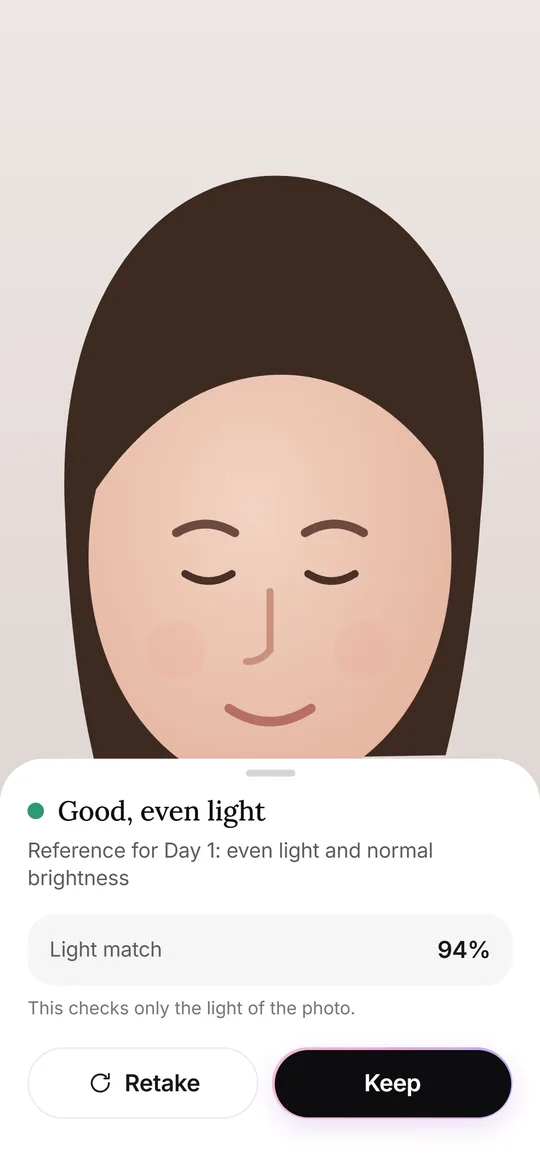 Glow CheckThe daily photo: guide, light check, your feel, tags and notes.